iBuild Project Managers: How Remote Support Works

Transcript
(Do you have like project managers that go to the Cook Islands to help monitor the building or something like that?)
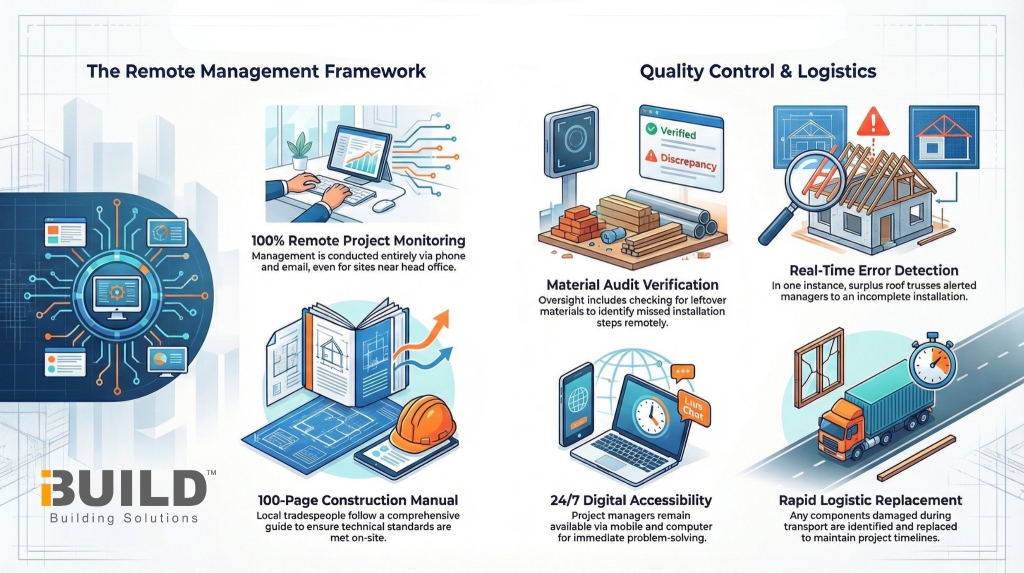
Charles Christodoulou: “No, they probably wish they could go for a holiday. Yeah. Cook Islands. No, because well even here in Melbourne, our head office here in Melbourne, even if you’re building 5 kilometres away from our office, our project managers don’t visit those sites. It’s all done like he’ll probably he’s working from home, but you got access to you can ring him, email, whatever. And if you got any problems, they’ll fix it.“
Charles Christodoulou: “Yeah, we have a construction manual. It’s about 100 pages long, but you’ll find that the local tradesman, they’ll know how to do it. It’s not hard.“
Charles Christodoulou: “You would have his mobile number, email address, and computer access at any time. So, let’s say, and I’ve seen it happen where a guy got some material left over, part of the trusses on the roof, and he sent a message to the project manager, and then we found out he forgot to put part of the roof trusses on, but he didn’t realize. Well, we picked it up because there should never been anything left over. But that’s the backup you get. We look after them.“
Charles Christodoulou: “Well, or even let’s say something is damaged while being transported. Then again, we have to replace that.“
Remote Support Only
iBuild Project Managers don’t visit building sites, even if you’re building just 5 kilometres away from the head office in Melbourne.
How it works: Your Project Manager works remotely, but you have full access to contact them via:
- Phone calls
- Any time during your build
Mobile access: You’ll have their mobile number, email address, and computer access at any time.
What Project Managers Can Do Remotely
Your dedicated Project Manager provides support by:
- Answering queries about assembly (e.g., “This roof truss is too long. What happens?”)
- Picking up mistakes quickly (e.g., “According to the plan, you’ve put this roof truss in the wrong position”)
- Reviewing leftover materials to spot missing steps
- Arranging replacement for materials damaged during transport
Construction Manual Support
After contract signing, iBuild provides a construction manual (approximately 100 pages long) that:
- Covers the whole building process
- Shows local tradesmen how to assemble the home
- Provides technical guidance throughout the build
International Builds (e.g., Cook Islands)
For international projects, the same remote support applies:
- No on-site visits from Project Managers
- Full phone and email access throughout the build
- Construction manual provided
- Local trades assemble the materials
Real Example: Catching Mistakes Remotely
Project Managers have caught issues like:
- A builder had material left over (part of roof trusses)
- They sent a message to the Project Manager
- The PM discovered the builder forgot to install part of the roof trusses
- The issue was picked up because there should never be anything left over